DNBRADIO on your desktop
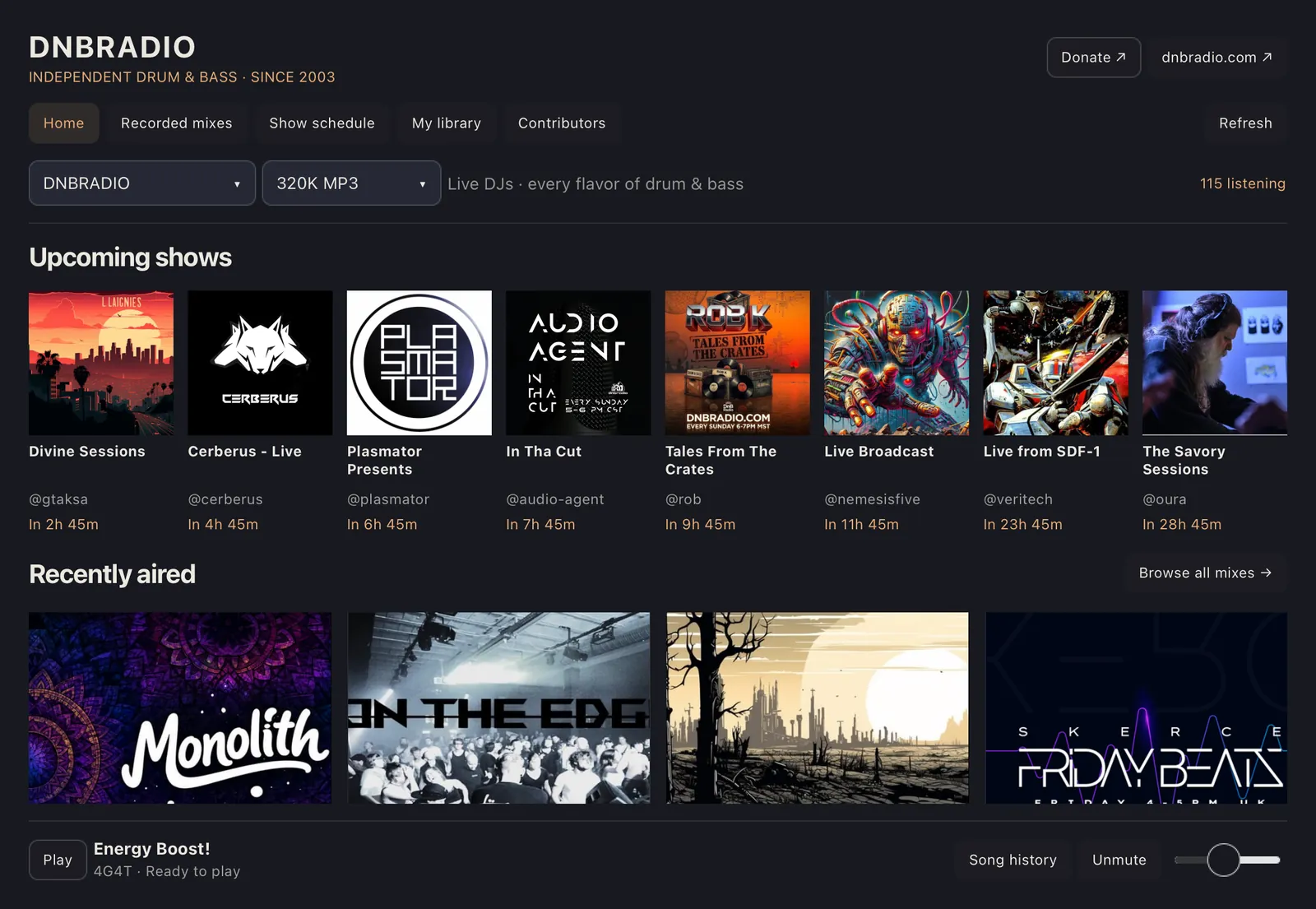
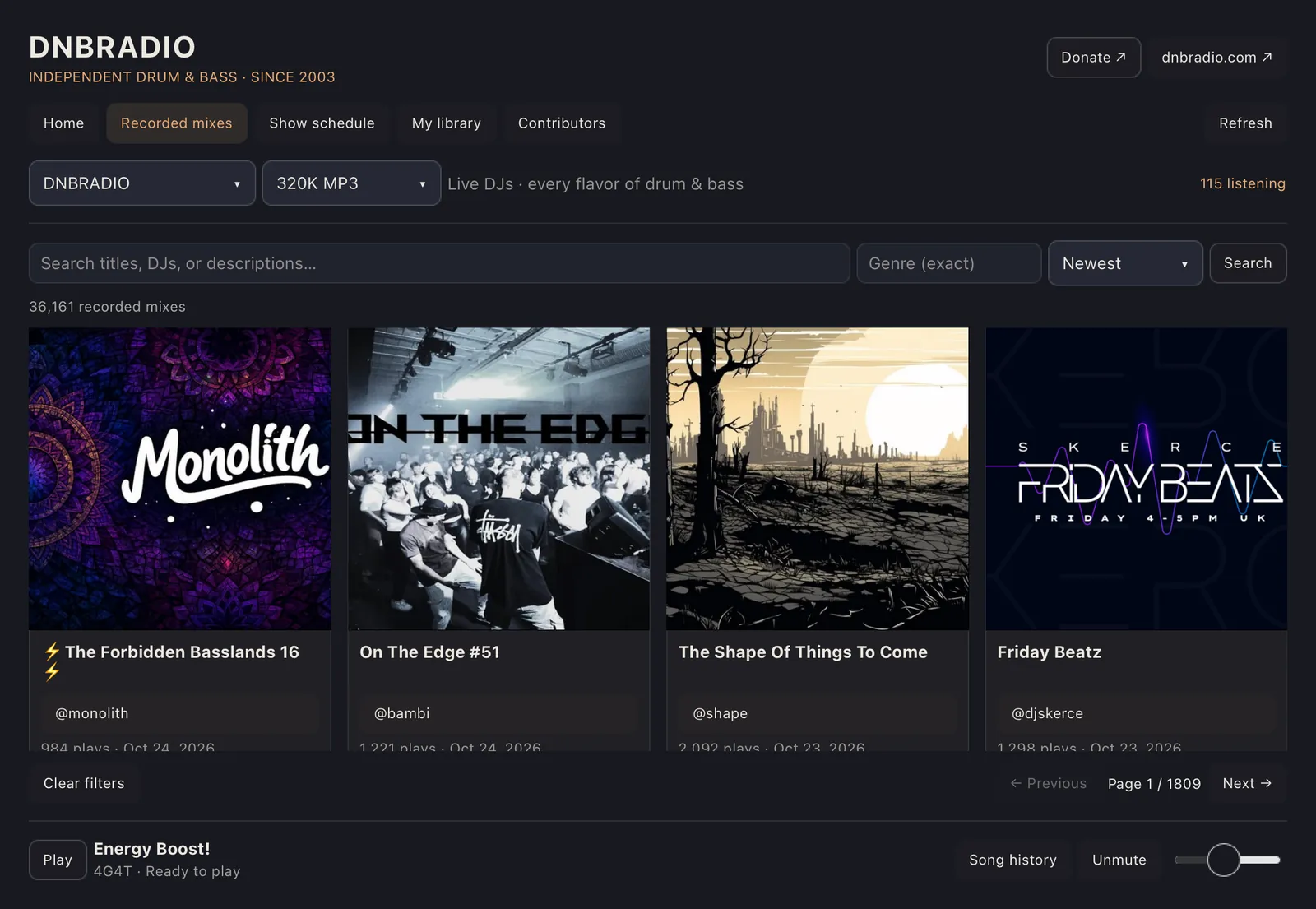
A free player for macOS, Windows and Linux, plus a plugin for the Omarchy bar. Listen live, browse more than 36,000 recorded mixes, see the schedule in your time zone and keep your favorites in one place.
Version 0.3.0 · Release notes
Download
macOS
Apple Silicon Mac with macOS 26 or later.
Download for macOSUnzip it and move DNBRADIO to Applications. Apple hasn't notarized the app yet, so the first time you open it, go to System Settings, choose Privacy & Security and click Open Anyway.
Windows
64-bit Windows 10 (1809 or newer) or Windows 11.
Download for WindowsExtract the whole ZIP and run dnbradio.exe from the DNBRADIO folder. Nothing gets installed. The app isn't code-signed yet, so if SmartScreen warns you, click More info, then Run anyway.
Linux
x86_64 with Flatpak. Runs on X11 and Wayland.
Download the FlatpakInstall it with the commands below the downloads.
On Linux, add Flathub if you haven't already, then install and start the player:
flatpak remote-add --user --if-not-exists flathub https://flathub.org/repo/flathub.flatpakrepo
flatpak install --user ./dnbradio-0.3.0-linux-x86_64.flatpak
flatpak run com.dnbradio.Player
Check your download against the SHA-256 checksums, or get earlier versions.
DNBRADIO for Omarchy
The plugin puts a DNB button in the Omarchy bar. Click it for the stations, the mix library and the schedule. Right-click to play or pause, or scroll over it to change the volume. It needs Omarchy 4.0.4 or later.
Download plugin 0.5.0Then run the installer from your desktop session:
tar -xzf dnbradio-omarchy-0.5.0.tar.gz
python3 omarchy/install.py
The installer backs up any earlier copy, restarts the shell and restores what was playing. To
turn the plugin off, run omarchy plugin disable com.dnbradio.radio.
What's in the app
- Six live stations: DNBRADIO in 320K MP3 or 128K AAC, Atmospheric, JungleTrain, Section 8, Darkstep and Bassdrive.
- The full mix archive with search, genre filters, tracklists and downloads.
- DJ profiles with bios, links, upcoming shows and their mixes.
- The show schedule in your local time, with optional reminders.
- Favorites, recently played mixes and resume where you left off.
- Song history, with purchase links when the station has them.
- A mini player in the menu bar or system tray.
- No account needed. Favorites and settings stay on your computer.
Free and open source
The player and the Omarchy plugin are free software under the GNU General Public License. The code is on GitHub, and there's no tracking.
DNBRADIO is listener-supported and volunteer-powered.
Support DNBRADIO